Cruce Saunders
  • Player card
  • Workshop
  • List
  • Contact
Cruce Saunders
  • Player card
  • Workshop
  • List
  • Contact

SAT Study Desk

Sep 2026WebLive

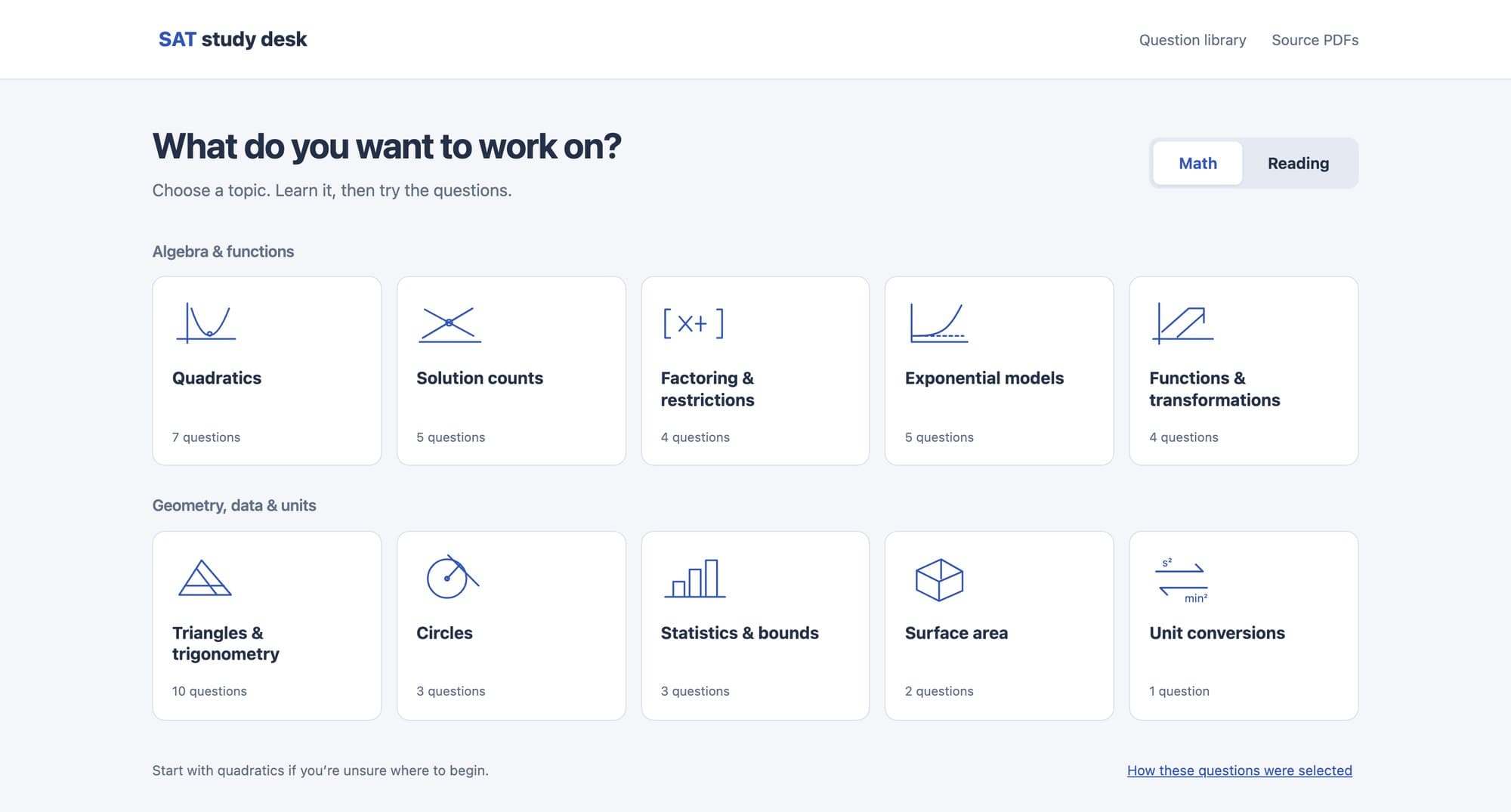
SAT Study Desk's home screen: 'What do you want to work on?' above a grid of math topics such as Quadratics, Solution counts and Circles, each with its question count.
Back to the worldSAT Study Desk
  • Player card
  • Workshop
  • List
  • Contact
  • Back to the world
  • Player card
  • Workshop
  • List
  • Contact

SAT Study Desk

SAT Study Desk is a study site I built around the hardest questions on the official SAT practice tests.

It groups 87 real questions into 17 topics, teaches the concepts and solving methods for each, then puts the original College Board page in front of me to practice on.

I built it for my own SAT prep, and a week later it became the foundation of Apex SAT.

real SAT questions
8787
topics
1717
official practice tests mined
88

I sorted the hardest SAT questions by what they test

Studying for my SAT retake, I noticed the points I was losing were nearly all on the same kind of question: the late, hard ones in each section. So I went through the hardest questions in eight official digital SAT practice tests from the College Board, which writes the SAT, and kept 87 of 133 candidates, dropping the ones a single formula solves. Then I grouped them into 17 topics, 10 in math and 7 in reading and writing, from quadratics and circles to unit conversions. The home screen lists each topic with its question count and suggests where to start.
Each topic in three tabs

Every topic walks the same path: what to know, how to solve, then the real questions.

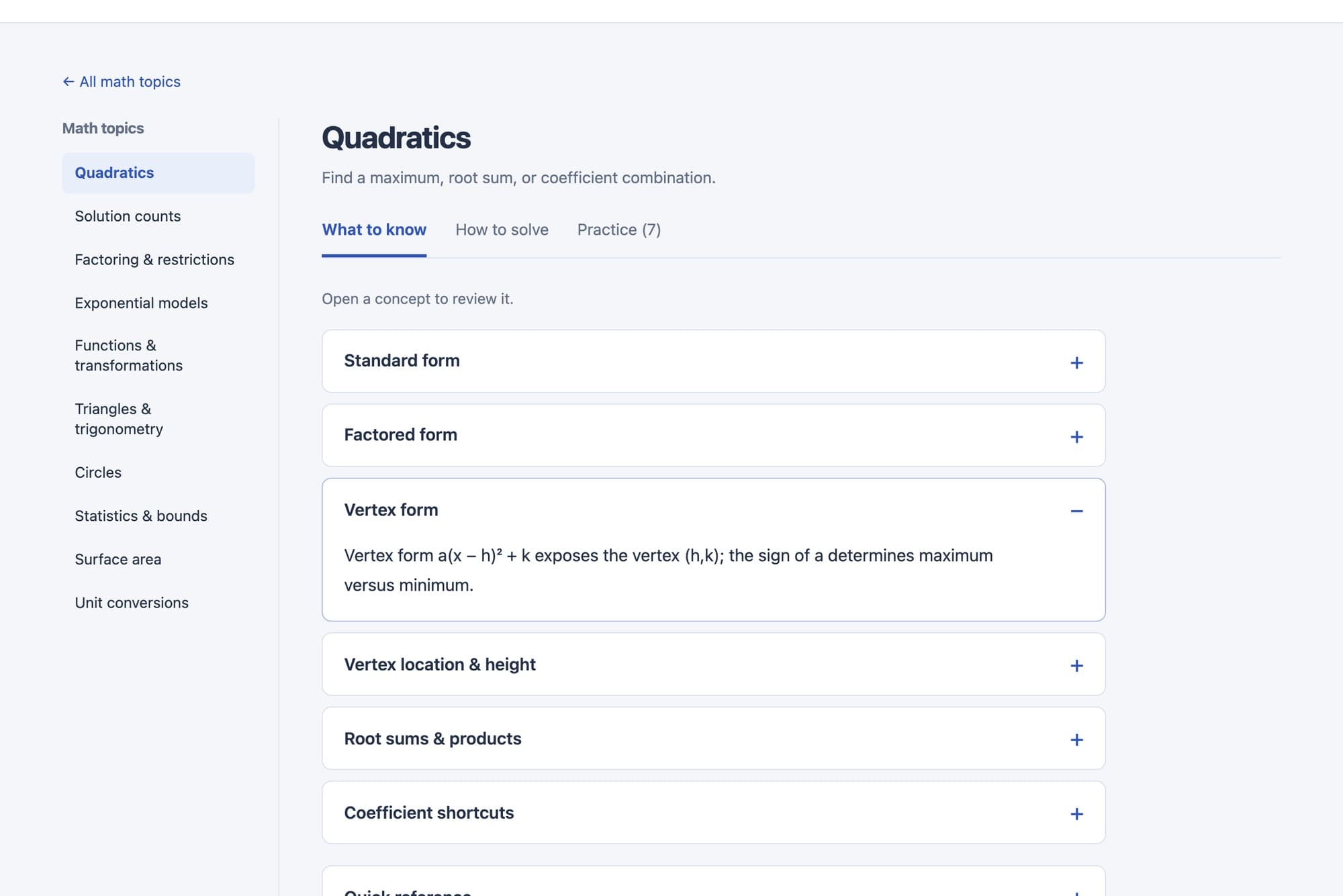
  1. The Quadratics topic in SAT Study Desk: a sidebar of math topics and a list of concept cards, with Vertex form expanded to explain what a(x − h)² + k reveals.
    1

    Step 1: What to know

    The first tab lists the concepts the topic tests, each one a card I can expand. For quadratics that's standard, factored and vertex form, where the vertex sits, root sums and products, and coefficient shortcuts, plus a quick-reference sheet. It covers only what the hard questions lean on.

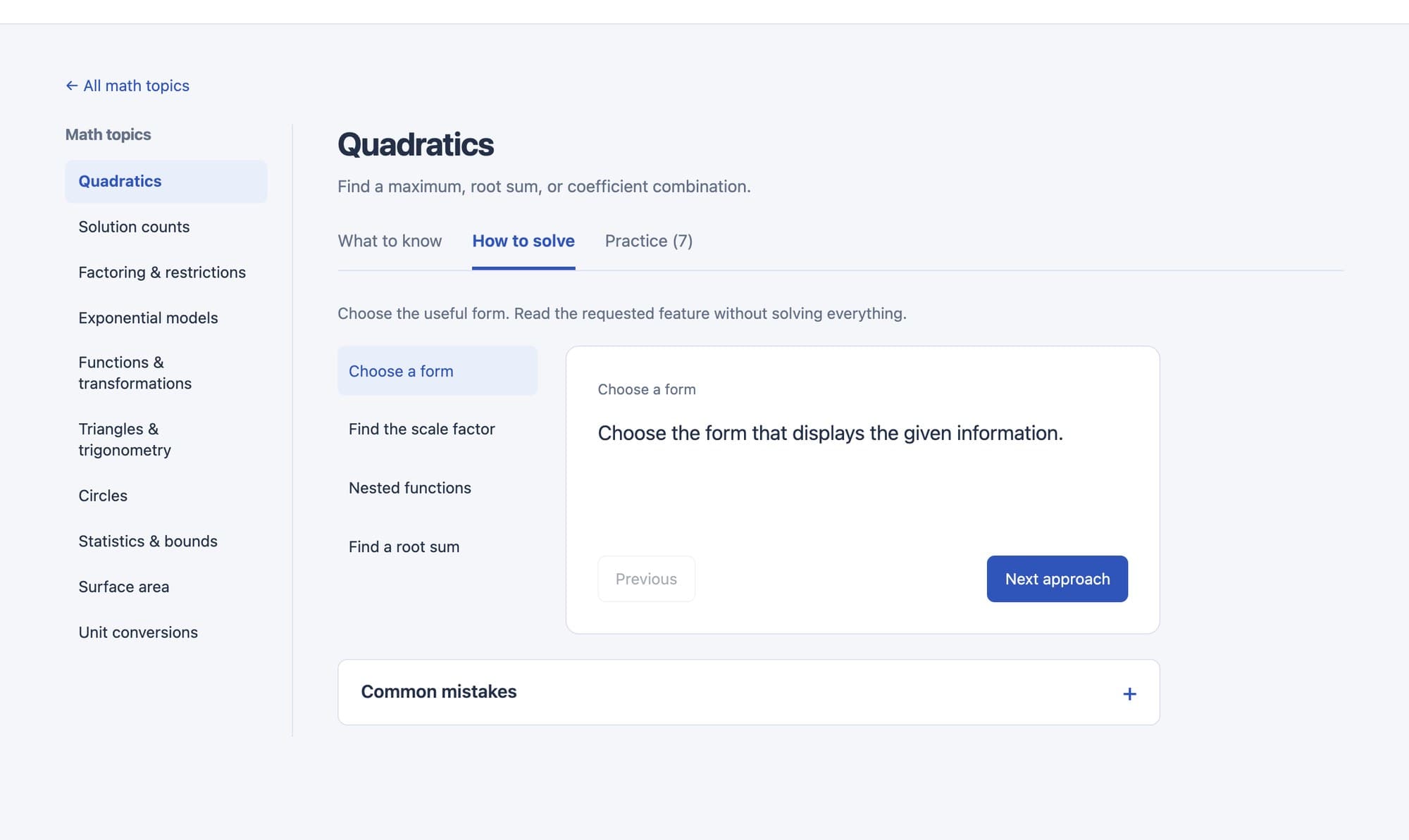
  2. The How to solve tab for Quadratics: four approaches listed on the left, 'Choose a form' open on the right, and a Common mistakes section below.
    2

    Step 2: How to solve

    The second tab walks through solving methods one at a time, like choosing the form that shows what the question asks for. A common-mistakes section covers the traps the test sets on purpose, like offering a hidden parameter's value as an answer choice when the question asked for something else.

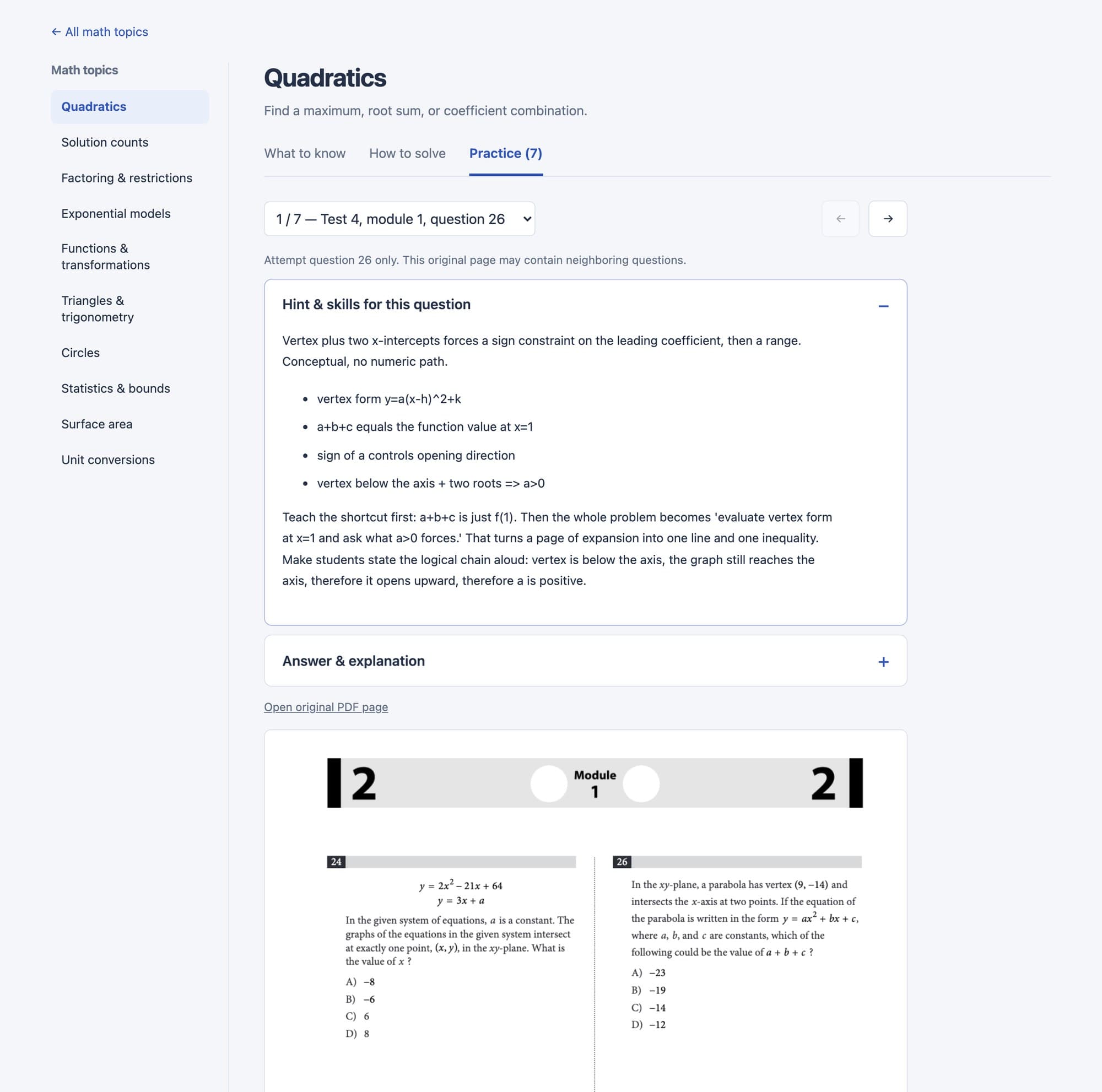
  3. SAT Study Desk practice: question 1 of 7 from Practice Test 4, an open hint panel listing the skills it needs, and the original College Board test page rendered below.
    3

    Step 3: Practice on the original page

    The practice tab loads each question on its original page from the College Board's PDF, rendered in the browser, so it looks exactly like the test. A hint panel names the skills the question needs, and the answer and explanation stay hidden until I open them.

The Quadratics topic in SAT Study Desk: a sidebar of math topics and a list of concept cards, with Vertex form expanded to explain what a(x − h)² + k reveals.
The How to solve tab for Quadratics: four approaches listed on the left, 'Choose a form' open on the right, and a Common mistakes section below.
SAT Study Desk practice: question 1 of 7 from Practice Test 4, an open hint panel listing the skills it needs, and the original College Board test page rendered below.

It became the map for Apex SAT

Sorting the questions showed me that each hard topic rests on a handful of specific skills, and missing one sinks the whole question. A study site could show me that; it couldn't drill those skills or bring them back before test day. A week later I turned the topics into a knowledge graph of skills and built Apex SAT on top of it.

Open SAT Study Desk

More builds

  • AI agentsCrew and JevSep–Oct 2026
  • WebApex SATSep–Oct 2026

Back to the workshop